
Download UR Mood Launcher – Android launcher, mood-based apps, location-based customization, productivity tool
Overview
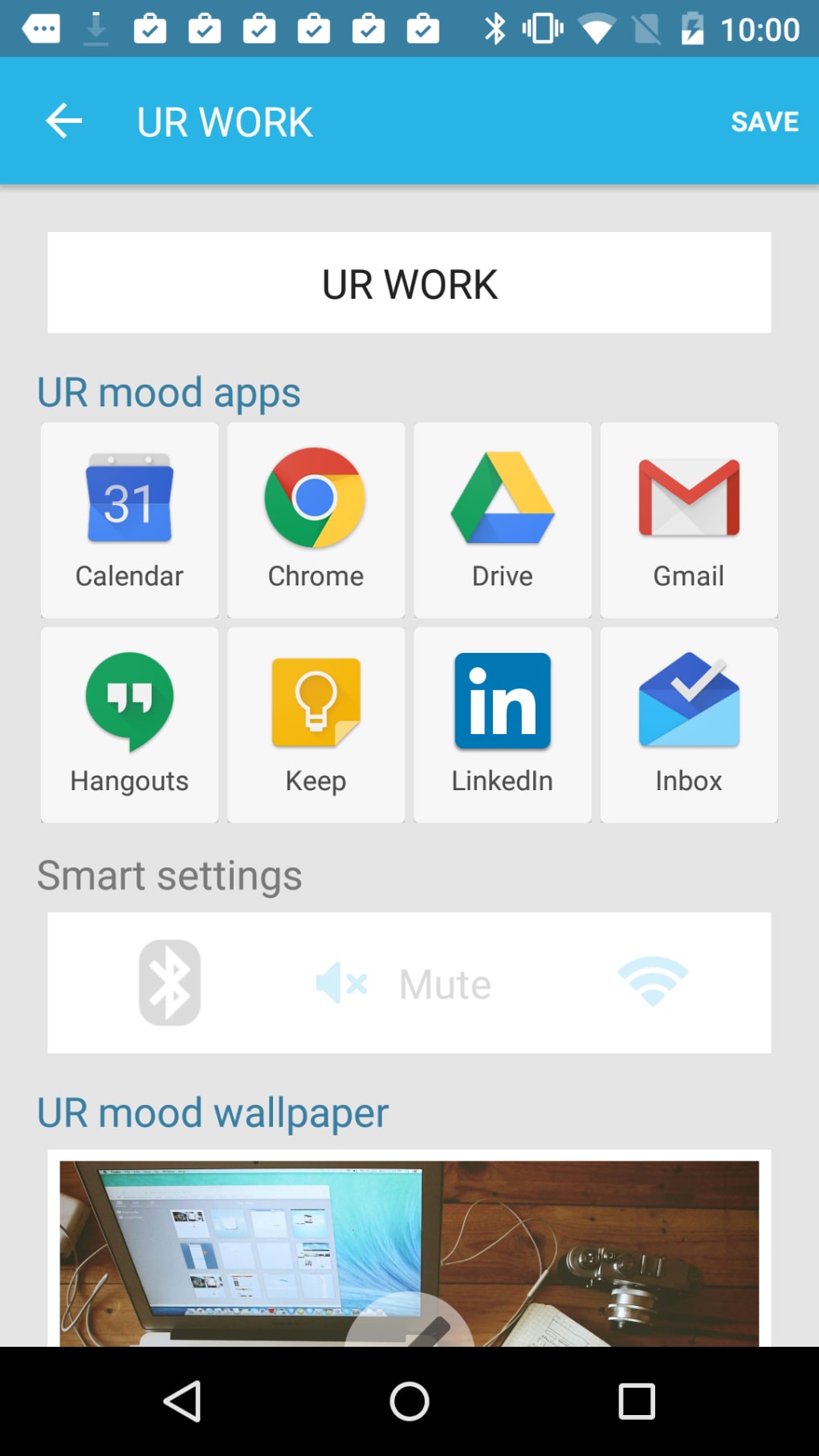
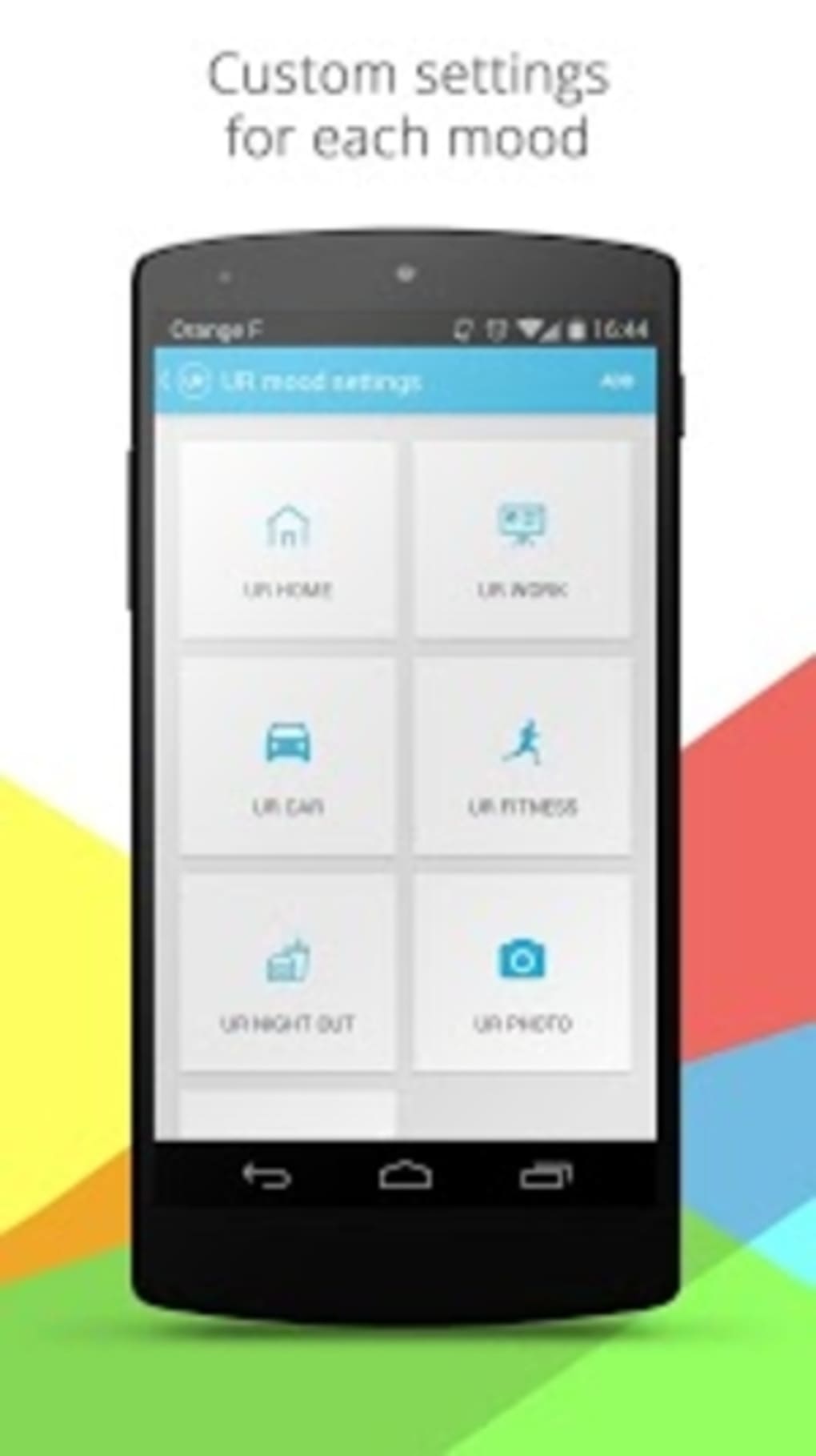
UR Mood Launcher is a customizable Android launcher designed to organize apps based on user context, such as location and mood. It aims to streamline access to frequently used applications by grouping them into predefined categories like UR Home, UR Work, UR Fitness, and UR Night Out. Users can also create custom mood-based app sets, such as "UR Secret Apps," for private or situational use.
The launcher adapts app visibility based on the user’s environment—adjusting available apps when at home, at work, or in the car—offering a dynamic interface tailored to real-world scenarios. While the core functionality of context-aware app grouping is not novel, its implementation leverages location data to suggest relevant apps, which may appeal to users seeking a more intuitive home screen experience. The developer, Taptica, has positioned the app as a productivity-enhancing tool for individuals who value situational app access.
However, the integration of third-party services raises privacy considerations. The launcher does not replace system-level functions beyond the home screen, allowing users to retain standard Android features on other pages. Its design emphasizes quick access and minimal scrolling, with a fixed limit of eight apps per mood.
The persistent recommended apps menu and external search integration introduce usability and security concerns that may affect user trust.
Key Features & Capabilities
- Mood-Based App Grouping: Apps are organized into predefined categories like UR Home, UR Work, UR Fitness, and UR Night Out, each tailored to specific environments or activities.
- Location-Based Automation: The launcher uses location data to trigger mood-based app sets, such as switching to UR Car mode when driving, displaying music and navigation apps.
- Custom Mood Creation: Users can define their own app bundles, such as "UR Secret Apps," to group sensitive or niche applications.
- App Limit per Mood: Each mood displays a maximum of eight apps, ensuring all are visible without scrolling, improving accessibility and speed.
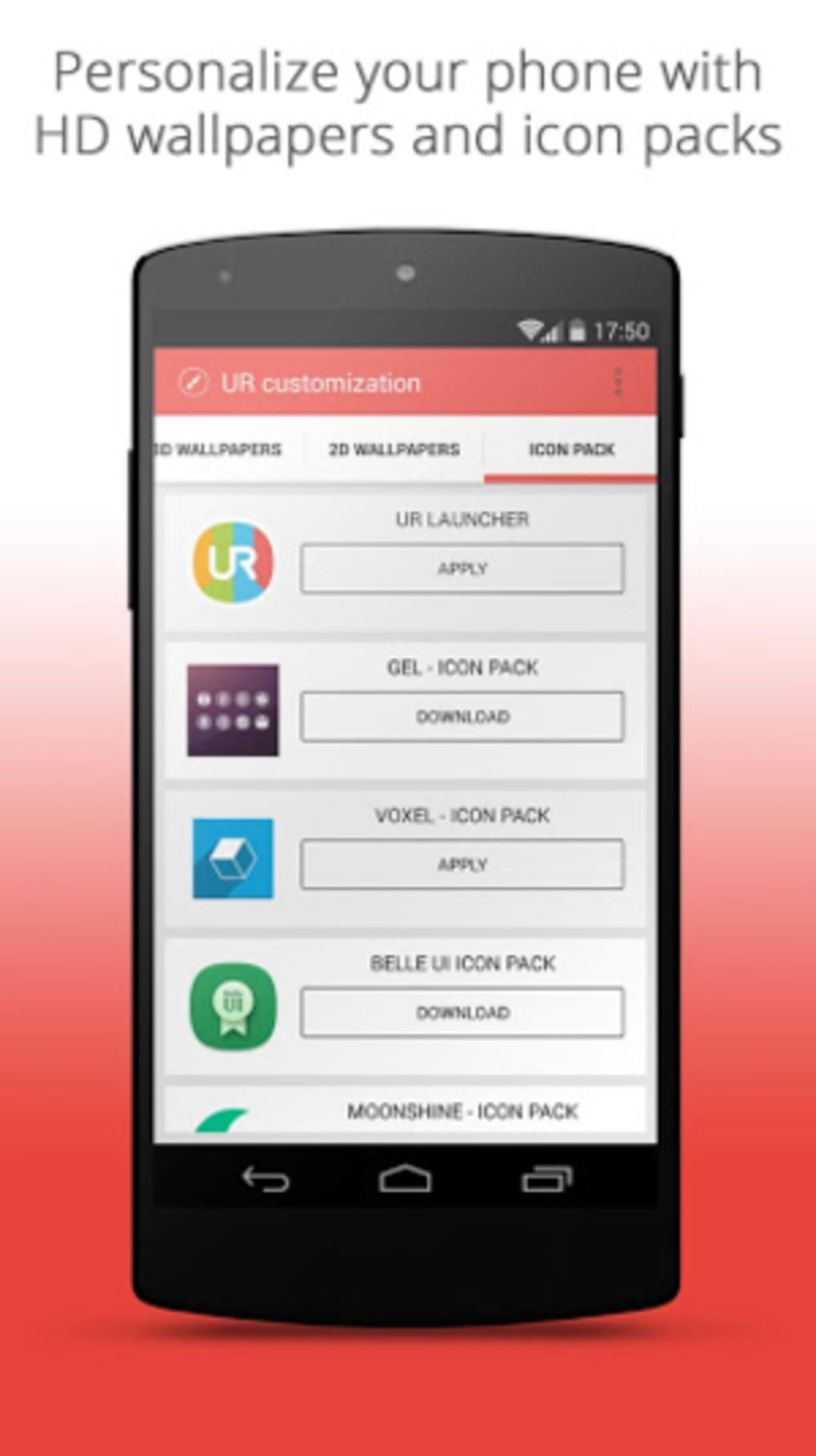
- Customization Options: Includes preset ringer volumes, Bluetooth toggles, and support for wallpapers and icon packs to personalize the interface.
- Persistent Recommended Apps Menu: Displays suggested apps directly above the launcher, which may lead to accidental taps and intrusive behavior.
- Alternative Search Bar: Replaces the default Google search with Iminent’s search engine, routing web queries through a third-party provider.
- UR Store Integration: A curated app list that redirects users to a tracking URL before opening the Google Play Store, raising transparency concerns.
- Sorting and Widgets: Offers A-Z and Category-based app sorting, along with support for widgets on the home screen.
- Slideout Menu: Provides quick access to recent apps, preferences, customization tools, and the UR Store.
These features collectively aim to reduce decision fatigue by automating app access based on context. For example, entering a gym might trigger the UR Fitness mood, displaying workout and music apps. Similarly, switching to UR Car mode could prioritize navigation and audio apps. While the concept is practical, the execution introduces friction through persistent recommendations and third-party dependencies.
User Interface, Workflow & Performance
The user interface of UR Mood Launcher is structured around a clean, grid-based home screen with distinct visual separation between mood categories. Navigation is facilitated through a slideout menu that provides access to recent apps, settings, and the UR Store. The launcher supports two app sorting methods: alphabetical (A-Z) and category-based, allowing users to choose their preferred organization style.
The persistent recommended apps menu, located just above the app grid, may interfere with navigation, especially during accidental touches. While the launcher limits app visibility to eight per mood to maintain clarity, this restriction could be limiting for users with extensive app libraries. The workflow is designed to be efficient for context-switching, with automatic mood detection based on location.
However, the lack of user control over when these transitions occur may lead to unintended app exposure. Performance details were not specified by the developer, but the 38.8 MB installation size suggests a lightweight footprint. The launcher operates as a secondary interface, leaving other Android features intact.
Stability and CPU/RAM behavior were not disclosed, though general software behavior patterns suggest minimal resource usage for a launcher of this scale.
Compatibility & System Requirements
UR Mood Launcher is designed for Android devices and is compatible with the operating system as of its release. The software version is 1.0.10, released on May 7, 2024. The installation size is 38.8 MB, indicating a compact footprint suitable for most Android smartphones.
The developer did not specify exact system requirements, including minimum Android version, RAM, or processor specifications. Platform compatibility information is limited to the Android OS. Users are advised to ensure their device supports third-party launchers, which is standard for most modern Android devices.
The launcher does not modify system-level functions beyond the home screen, meaning it can coexist with other apps and system features. For users seeking compatibility details, checking the official source or device-specific documentation is recommended.
Pros and Cons
Pros
- Mood-based app organization improves contextual access to frequently used applications.
- Location-aware automation helps tailor app visibility to real-world environments.
- Custom mood creation allows users to define private or situational app sets.
- Eight-app limit per mood ensures all apps are visible without scrolling.
- Support for wallpapers, icon packs, and app sorting enhances personalization.
- Lightweight installation size (38.8 MB) suggests minimal storage impact.
Cons
- Persistent recommended apps menu may cause accidental taps and intrusive behavior.
- Third-party search engine (Iminent) raises privacy concerns with query tracking.
- UR Store redirects through a tracking URL before opening Google Play, compromising transparency.
- App availability in the UR Store may vary by region, leading to potential dead ends.
- Limited customization over when mood transitions occur, reducing user control.
- Replacement of the default Google search bar with a third-party engine may affect user trust.
FAQ Section
Is UR Mood Launcher compatible with all Android devices?
UR Mood Launcher is designed for Android, but the developer did not specify minimum system requirements. Users should confirm their device supports third-party launchers.
Is UR Mood Launcher free to download and use?
Yes, the current version is available at no cost. The price listed is $0.00.
Does UR Mood Launcher collect location data?
Yes, the launcher uses location data to trigger mood-based app sets, such as switching to UR Car mode when driving. The extent of data collection is not detailed by the developer.
Can I disable the recommended apps menu?
Yes, the persistent recommended apps menu can be disabled through the preferences settings within the launcher.
Is the UR Store safe to use?
The UR Store redirects users through a tracking URL before accessing the Google Play Store. While the final destination is secure, the intermediate link raises concerns about data transparency and tracking.
Final Thoughts
UR Mood Launcher delivers a conceptually appealing approach to contextual app organization, leveraging mood and location to streamline access to relevant applications. Its ability to auto-switch between predefined app sets—such as UR Work or UR Night Out—offers a practical solution for users who want a more dynamic home screen. The eight-app limit per mood enhances visibility and reduces clutter, while customization options for wallpapers and icon packs add personal flair.
However, the integration of third-party services presents significant drawbacks. The replacement of the default Google search bar with Iminent’s engine, coupled with the tracking-heavy UR Store, introduces privacy and security risks that undermine user trust. The persistent recommended apps menu further detracts from the user experience.
While the core functionality is functional, better alternatives exist—such as Nova Launcher for customization or Aviate and Cover for context-aware features. For users prioritizing privacy and transparency, UR Mood Launcher’s trade-offs may outweigh its benefits. If you're seeking a mood-based launcher and are comfortable with the associated risks, it may still serve as a viable option.
However, for most users, the security concerns and intrusive features make it less ideal than other available solutions. Download UR Mood Launcher now.





.png)

